lktv21 Mobile App
Our lktv21 platform extends across multiple access points to serve users in supported jurisdictions. Whether you prefer a native Android installation, an iOS browser session, or a progressive web app on desktop, we maintain the same account, payment methods, and game library across all paths. This guide walks through each installation method and explains how to get started on your device of choice.
- LoginOTP Verification
- and
- Installin
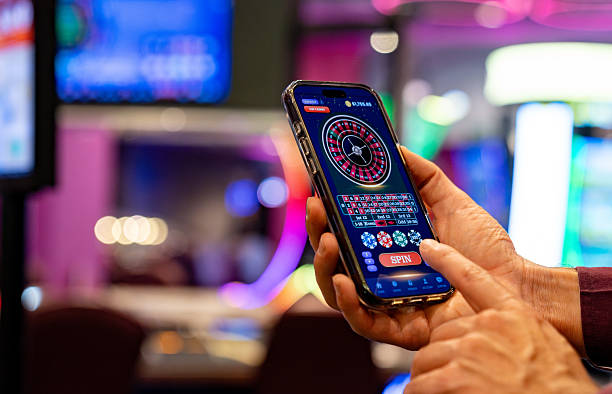
Mobile-first design has become essential for entertainment platforms. Our lktv21 app prioritizes speed, offline functionality, and seamless payment integration so that users in Jakarta, Surabaya, Bandung, and other regions can access live football markets, casino tables, and slot games without interruption. The app stores your session locally, reducing load times and enabling play during network fluctuations.
We recognize that device preferences vary widely across our user base. Some users favour the control and customization of a native Android APK; others prefer the simplicity of a browser-based experience on iOS or desktop. Our lktv21 infrastructure supports all three, with identical account credentials and deposit methods—DANA, e-wallet, mobile banking, local payment, online payment, e-wallet, and bank transfers via mobile banking, local payment, online payment, and e-wallet—available on every platform.
Installation paths for lktv21
We offer three primary ways to access lktv21: a direct Android APK download for users who prefer native installation, a mobile-optimized web app accessible through any iOS or Android browser, and a progressive web app (PWA) for desktop users seeking app-like performance without store dependencies. Each path uses the same backend infrastructure, so your account balance, transaction history, and preferences sync instantly across devices.
The Android APK is ideal for users who want a dedicated app icon on their home screen and prefer direct installation without app-store intermediaries. Our lktv21 APK is signed and verified; installation requires enabling "Unknown Sources" in your device settings, a standard security practice for sideloaded apps. Once installed, the app receives push notifications for live football updates, casino promotions, and account alerts.

Getting started with lktv21
-
Download the lktv21 app or open the web address
For Android, download the APK file from our official link. For iOS or desktop, navigate to our web app URL in your browser.
-
Create your lktv21 account
Enter your email, phone number, and a secure password. We verify your contact details via a one-time code sent to your phone or email.
-
Complete identity verification
Upload a photo ID and proof of address. Our lktv21 compliance team reviews documents within standard processing windows; you will receive a notification once verification is complete.
-
Make your first deposit
Choose from DANA, e-wallet, mobile banking, local payment, online payment, e-wallet, or bank transfer. Your funds appear in your lktv21 account immediately, and you can begin exploring live football, casino tables, or slot games.
App versus browser: strengths of each
Our lktv21 native app offers offline caching, meaning you can view your account balance and recent transactions even without an active internet connection. Push notifications alert you to live football kickoffs, casino promotions, and withdrawal confirmations in real time. The app also integrates directly with your device's payment systems, streamlining mobile banking, local payment, and online payment deposits. Browser access, by contrast, requires no installation and works identically on any device—Android, iOS, or desktop—without storage constraints. Both paths maintain full feature parity: live-dealer blackjack, roulette, and Dragon Tiger; slot games such as Aviator, Sweet Bonanza, and Gates of Olympus; and comprehensive football markets covering Liga 1, Piala Indonesia, and international tournaments.
Device compatibility for lktv21
Our lktv21 app requires Android 7.0 or later; most devices from 2016 onwards meet this threshold. For iOS users, the web app functions smoothly on iOS 12 and above, covering iPhone 5s and newer models. Desktop users benefit from our progressive web app, which works on Windows, macOS, and Linux with any modern browser (Chrome, Firefox, Safari, Edge). We continuously test across device types to ensure consistent performance, though network speed and available storage will influence load times and offline functionality.

Troubleshooting common installation issues
If you encounter an "Unknown Sources" warning during Android APK installation, navigate to Settings → Security → Unknown Sources and enable the toggle. This is a standard Android security feature; our lktv21 APK is cryptographically signed and safe to install. If your device displays a certificate-trust error, ensure your system date and time are correct—certificate validation depends on accurate time synchronization. For users experiencing slow downloads, try connecting to a different Wi-Fi network or using mobile data instead. If the app crashes on launch, clear your device cache (Settings → Apps → lktv21 → Storage → Clear Cache) and reinstall. Our lktv21 support team is available via email and live chat to assist with persistent issues.
Data, permissions, and account security on lktv21
Our lktv21 app requests only the permissions necessary for core functionality: internet access for live updates and payments, storage access for offline caching, and notification permissions for alerts. We do not request access to your contacts, camera, or location data. All communication between your device and our lktv21 servers is encrypted using industry-standard TLS protocols. Your account credentials are stored securely on your device and never transmitted in plain text. If you log out or uninstall the app, your session ends immediately; reinstalling the app requires you to log in again with your email and password. We recommend using a strong, unique password and enabling two-factor authentication if available on your lktv21 account.
Best practices for lktv21 mobile access
To maximize your experience with lktv21, keep your app updated to the latest version—updates include security patches, performance improvements, and new features. Enable push notifications so you receive alerts about live football matches, casino promotions, and account activity. If you travel between regions or use multiple devices, remember that your lktv21 account is tied to your email and phone number; you can log in from any device, and your balance and transaction history will be identical. For users in areas with intermittent connectivity, the offline cache feature allows you to review your account details and recent bets even during network outages.
Key takeaways
- lktv21 is accessible via Android APK, iOS browser, and desktop web app
- All three paths share the same account, balance, and payment methods
- Installation takes minutes; verification and first deposit follow standard processes
- Native app offers offline caching and push notifications; browser access requires no installation
- Our lktv21 services are available only where local law permits
Our lktv21 platform is designed to serve users across Indonesia and supported jurisdictions with reliable, secure access to live football, casino games, and sports betting. Whether you choose the Android app, iOS browser, or desktop web experience, you will find consistent performance, comprehensive payment options, and responsive customer support. Begin by downloading or opening lktv21, complete your account setup and verification, and explore the full range of live-dealer tables, slot games, and football markets available to you.